Office Ergonomics: Simple Changes That Prevent Pain and Injury
Published by LW Safety, LLC
Office safety starts at your desk. Hard hats and harnesses get the attention. But a chair set too high or a screen at the wrong angle does damage too. The harm builds quietly over months and years. A few smart adjustments cut your risk fast.
The Real Cost of Poor Ergonomics
Work-related musculoskeletal disorders (MSDs) rank among the top causes of lost work time in the US. Think carpal tunnel, tendinitis, rotator cuff injuries, and chronic lower back pain. Most of these injuries don’t come from one bad day. They build from repetitive strain, awkward postures, and long hours in one position. Your body keeps score. Without the right setup, the bill comes due.
Your Chair: The Foundation
Everything else adjusts around your chair. Start here.
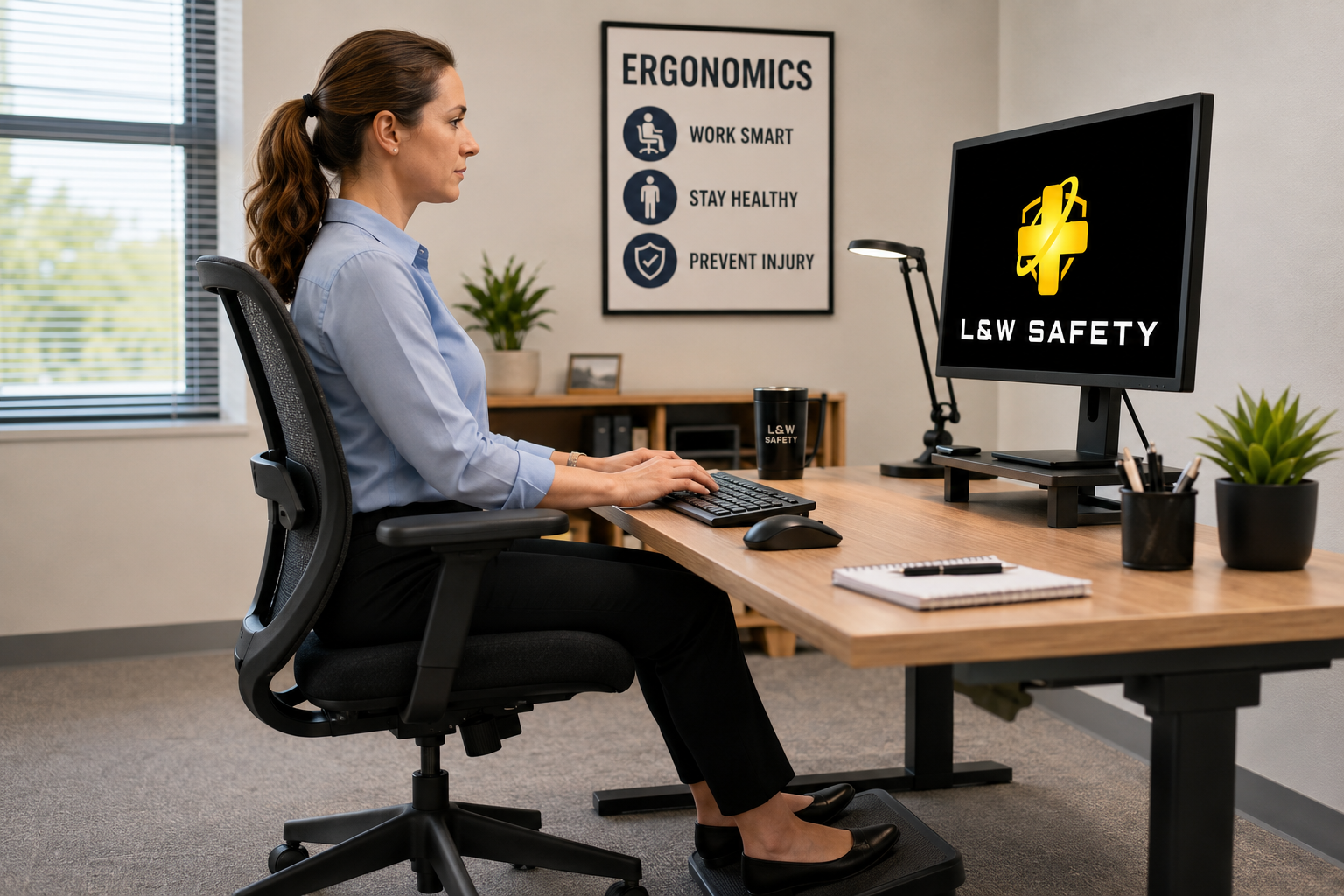
- Seat height: Feet flat on the floor or a footrest. Thighs parallel to the ground. Hips and knees at 90 degrees.
- Lumbar support: Fit the backrest into the curve of your lower back.
- Seat depth: Leave two fingers of space between the seat edge and the back of your knees.
- Armrests: Elbows at your sides, shoulders relaxed. Make sure armrests don’t block you from pulling close to the desk.
If raising the chair lifts your feet off the floor, add a footrest. Don’t sacrifice posture.
Monitor Placement: Eyes Front, Neck Neutral
A bad monitor position wrecks your neck and upper back.
- Height: Top of the screen at or slightly below eye level.
- Distance: About an arm’s length away, 20 to 24 inches.
- Alignment: Screen directly in front of you. No twisting.
- Glare: Set the monitor at a right angle to windows. Use blinds to control light.
Work from a laptop? Raise the screen with a stand and plug in an external keyboard and mouse.
Keyboard and Mouse: Stay Neutral
Your hands and wrists should stay relaxed while you work.
- Keep forearms parallel to the floor. Elbows at 90 degrees, close to your body.
- Keep wrists straight. Use wrist rests during pauses, not while typing.
- Keep the mouse next to the keyboard at the same height. No reaching.
- Keep the keyboard flat or tilted slightly away from you.
Lighting: See Clearly, Sit Straight
Bad lighting pulls your body forward without you noticing.
- Use indirect or diffused lighting to cut glare.
- Position your monitor perpendicular to windows.
- Adjust brightness and bump up font size if you catch yourself leaning in.
- Clean your screen. Dust adds glare.
Breaks and Movement: The Most Underrated Tool
No setup fixes sitting still all day. Your body needs to move.
- Follow the 20-20-20 rule. Every 20 minutes, look at something 20 feet away for 20 seconds.
- Stand up at least once every hour, even for two or three minutes.
- Add micro-stretches. Chin tucks, shoulder rolls, and wrist stretches release built-up tension.
Quick Ergonomics Checklist
Use this list to audit your own desk setup:
- Feet flat on the floor or footrest
- Hips and knees near 90 degrees
- Lower back supported
- Elbows at 90 degrees, close to the body
- Wrists neutral while typing
- Monitor at arm’s length, top at or below eye level
- Monitor centered in front of you
- Screen perpendicular to windows
- Mouse next to keyboard at the same height
- Frequent-use items within easy reach
- Movement and eye breaks built into your day
Final Thought
Safety doesn’t clock out when you walk inside. Desk workers deserve the same protection as field crews. A few workstation fixes and regular movement breaks save years of discomfort, lost productivity, and medical costs.
Questions about workplace safety programs, in the office or in the field? Contact LW Safety, LLC.